Hookshot Pulls the Switch 2 Ocarina of Time Remake Straight Onto Windows PCs
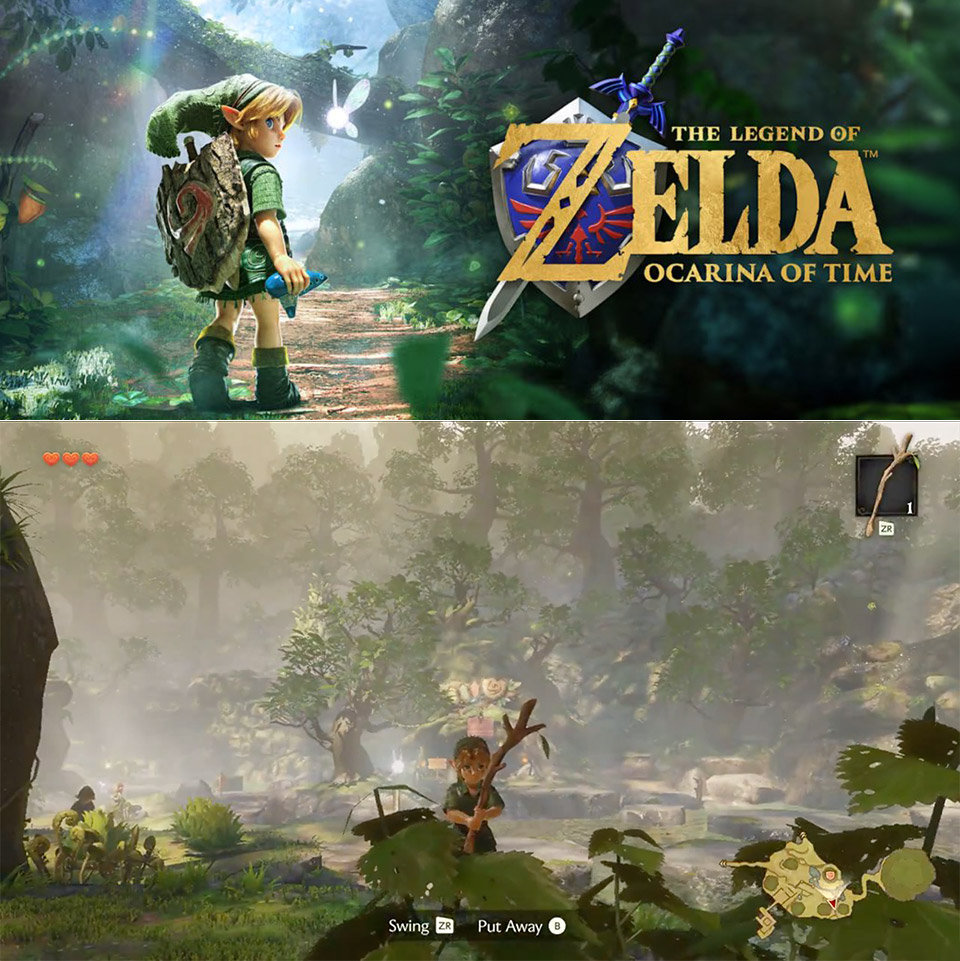
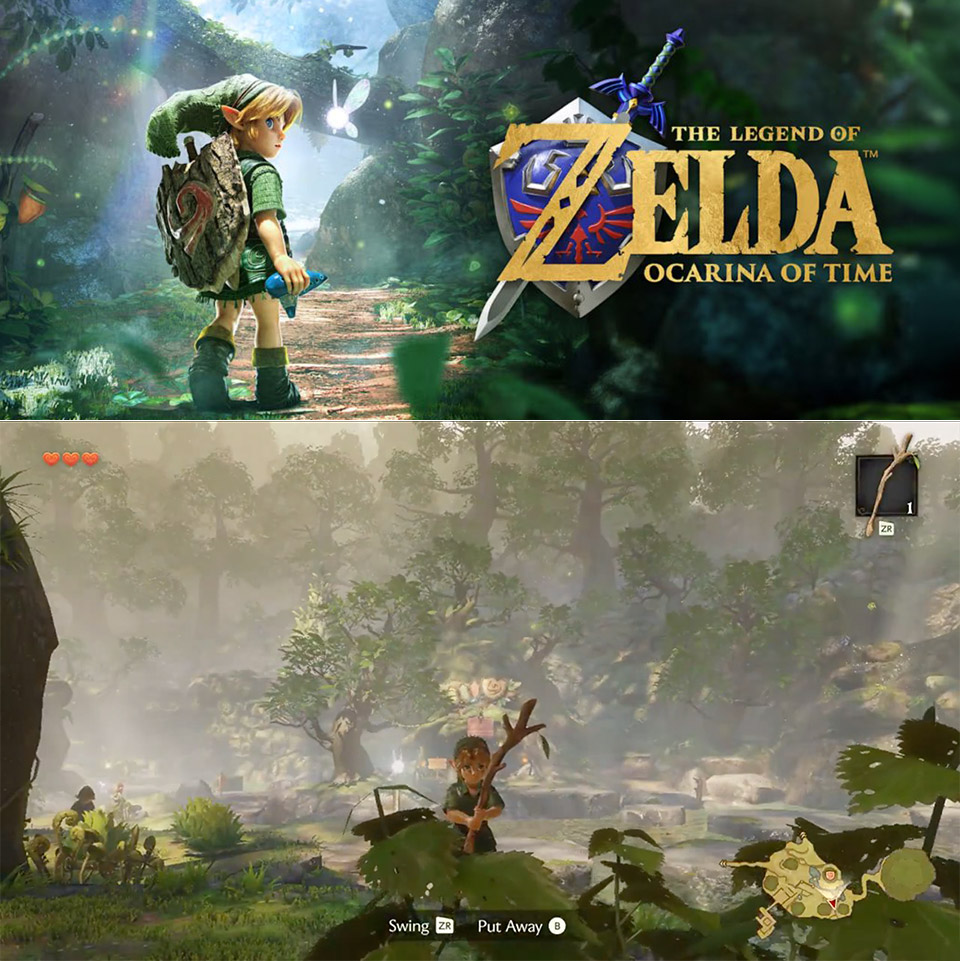
One day after Nintendo put the rebuilt Ocarina of Time on Switch 2, a project called NotRexed Hookshot already lets owners of the game run it as a regular Windows program. NotRexed, the same developer behind earlier native ports of other Nintendo titles, posted early screenshots and then opened the full source on GitHub. Anyone with a matching copy of the remake can feed the files into the tools and end up with an executable that launches the adventure without an emulator sitting in the middle.
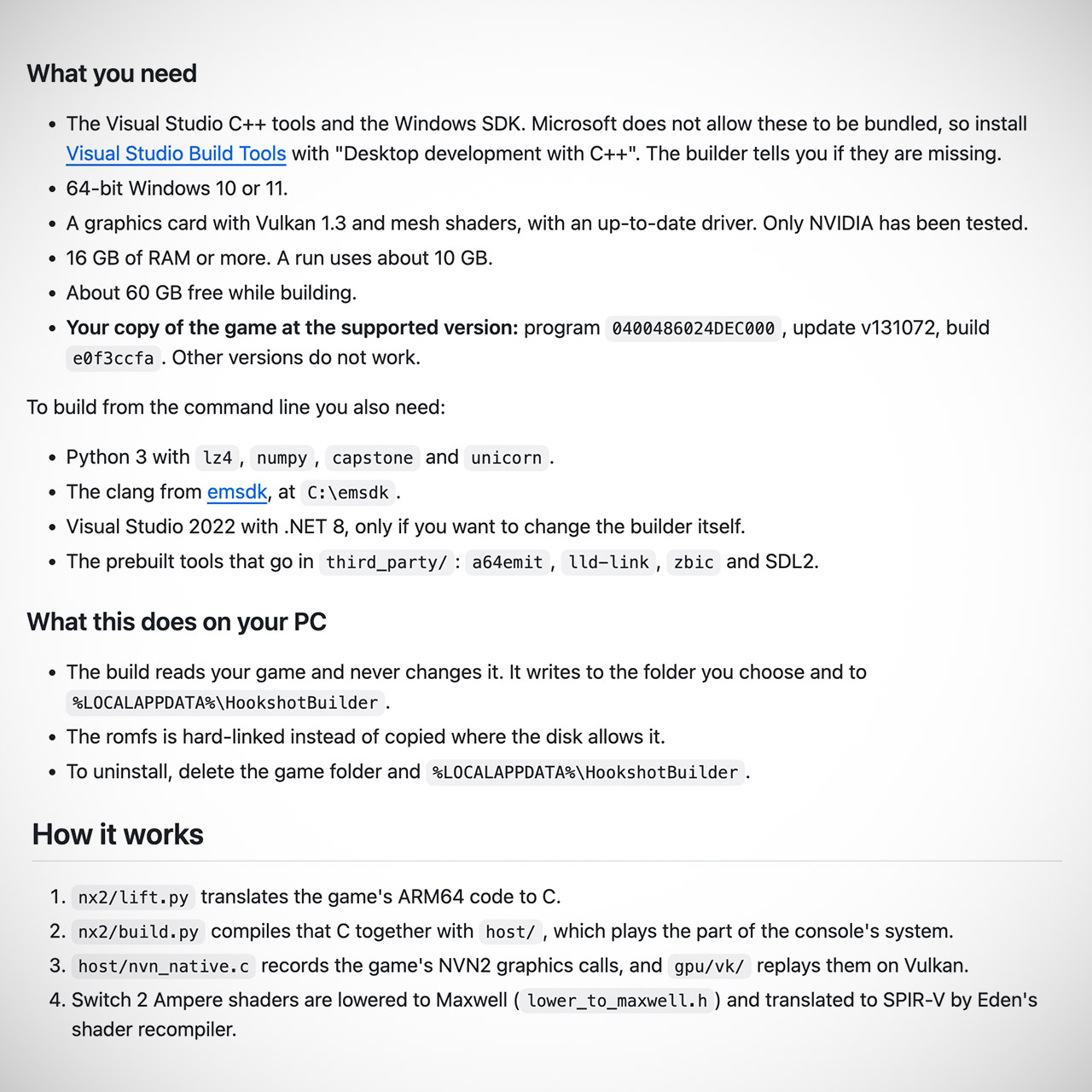
Hookshot works its magic by rewriting the Switch 2 version’s original ARM64 instructions into plain C code, which any compiler can then happily convert into a basic Windows binary. The same program then rebuilds the console’s system software so that the game may continue to discover all of the services it requires, as well as recording and playing back every graphics call made by the game via Vulkan. Just for good measure, it reduces shaders written for the Switch 2’s Ampere hardware so that the Vulkan side can handle them without trouble. The entire process takes place on your own PC, utilizing only a dump of the game, with no interaction from the repository with the actual game or any keys.
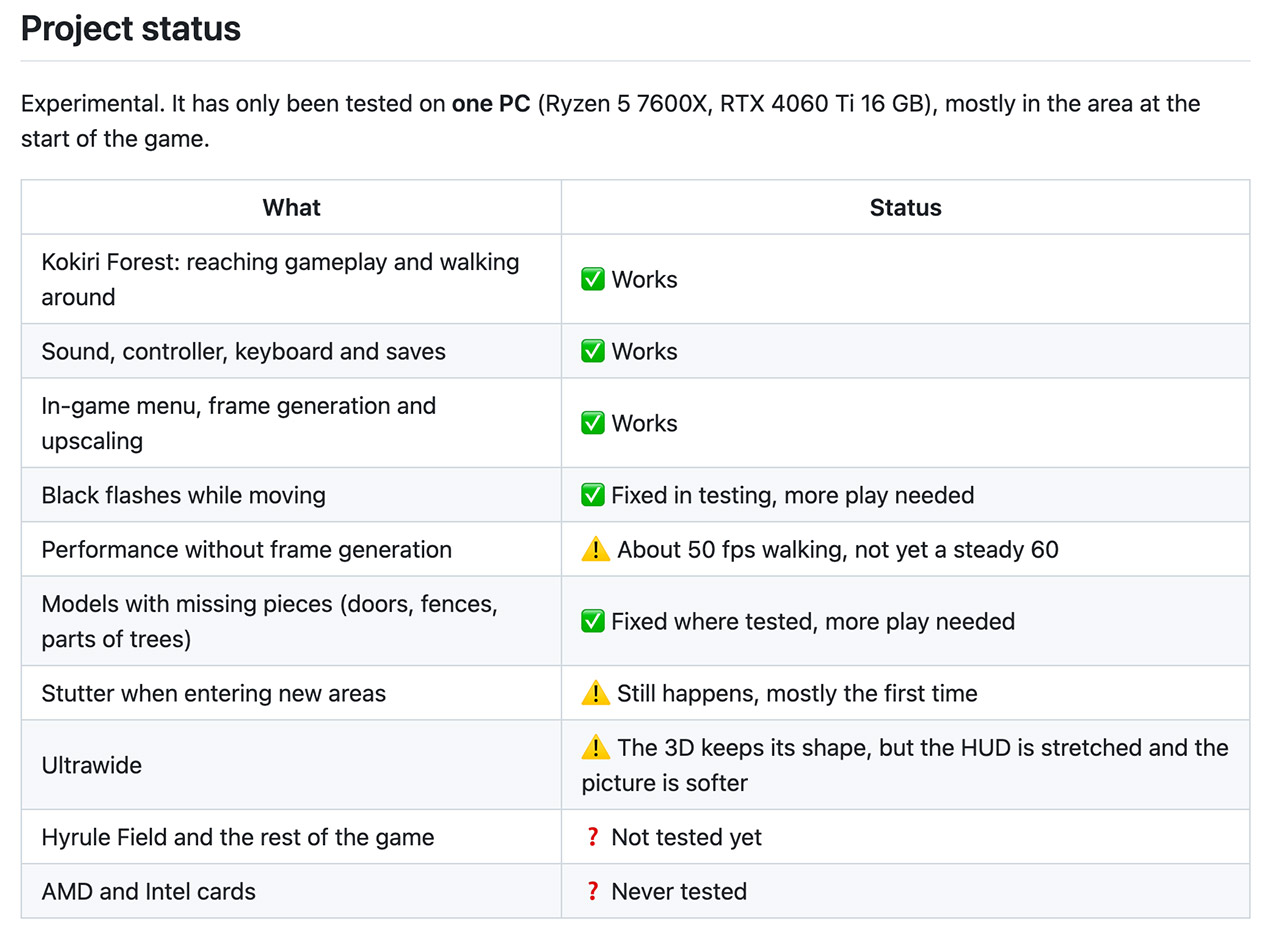
Currently, the port is at the experimental stage, having only been tried on one decently spec’ed system. You can stroll around in the Kokiri Forest with the sound on, controllers and keyboards operational, and saves sticking properly. If you press the Insert key, you’ll get an in-game menu where you can adjust frame generation, resolution, upscaling filters, and an ultrawide option, albeit the heads-up display tends to stretch and the image softens as the aspect ratio changes. Walking about the starting area typically yields a smooth 50 frames per second without frame creation, although doors, fences, and trees still have some black flashes and missing portions. The first visit to a new zone still stutters while the shaders are loading, and everything beyond the forest has yet to be tested; so far, only NVIDIA GPUs have been tested.
The build method is intended to be straightforward. There’s a pre-made Hookshot Builder application that accepts either a single.nup file or the unpacked romfs and exefs directories, validates that the version matches the supported build, then generates the final game folder in roughly 40 minutes. To accomplish this, you’ll need a 64-bit Windows 10 or 11 installation, Visual Studio’s C++ build tools, a graphics card capable of Vulkan 1.3 and mesh shaders, at least 16GB of RAM, and approximately 60GB of free space while it’s running. Keep in mind that the supported game build is very specific build, and anything different, the software will just reject it. When the executable loads, you’ll notice that settings are kept in a little ini file alongside it, while the original game files stay unchanged.
NotRexed has already implemented a few fast patches for packaging and early graphics issues, and the issue tracker is beginning to fill up with feedback from those who have ventured farther into the realm. With the game code now running natively, the path to larger resolutions, stable frame rates, and broader hardware support is much closer than it would be in a full console emulator. If you already own the remake and want to play the same forest, ocarina, and Link on your Windows desktop without waiting for an official port, Hookshot is the program you’ve been waiting for since the Switch 2 version was released.
[Source]
Hookshot Pulls the Switch 2 Ocarina of Time Remake Straight Onto Windows PCs
#Hookshot #Pulls #Switch #Ocarina #Time #Remake #Straight #Windows #PCs