IBM Home Director Let Aptiva Owners Automate Their Homes With Software and Power Lines Back in 1996
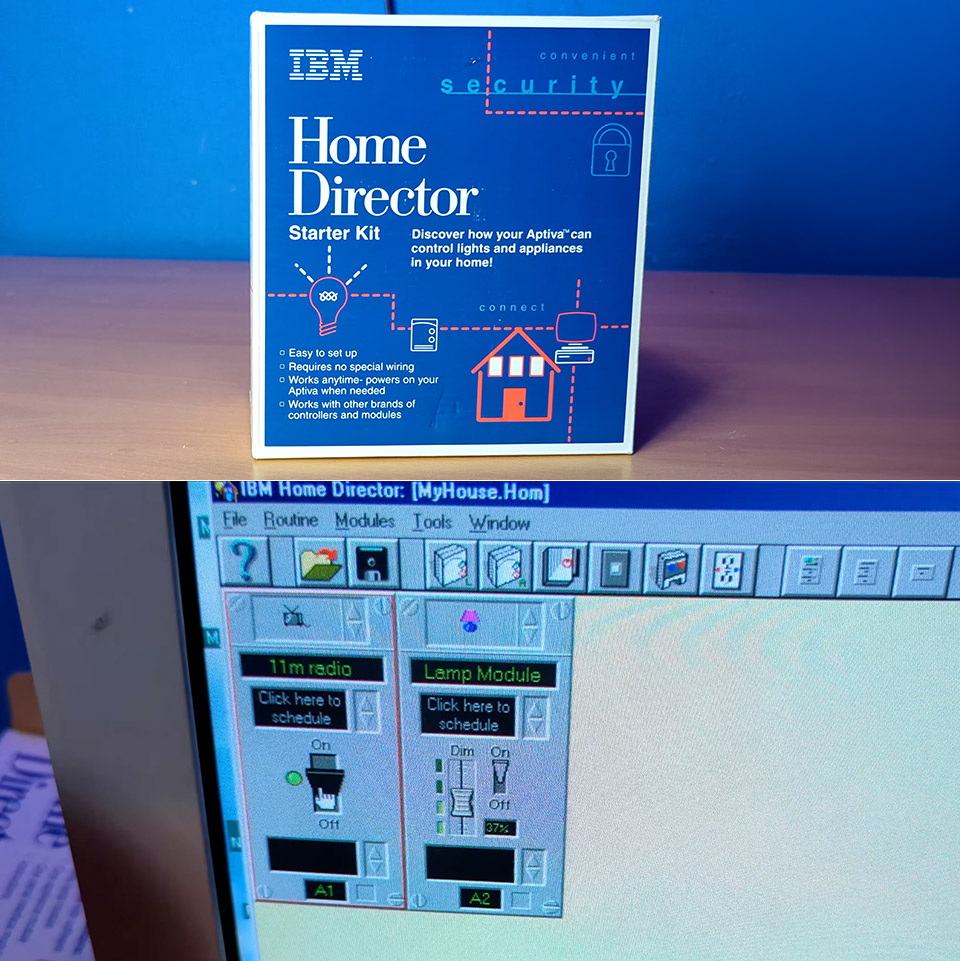
Personal computers had begun appearing in more homes by the middle of the 1990s. Most still served for work, games, or early internet browsing. IBM saw a chance to give those machines another job. The company introduced Home Director as a way for an Aptiva desktop to handle lights, appliances, and basic security routines without new wiring or professional help.
IBM packaged the system with select Aptiva variants offered in Radio Shack outlets. Later on, a solo version was released, and it was reasonably priced at roughly $50. The core premise remained quite easy, as owners could design the system to switch things on and off at predetermined intervals, even making it appear as if someone was home when they weren’t. When you purchased the starter kit, you received a software CD, a lamp module, an appliance module, and a serial interface module with all necessary wires. The first step was to install the CD on your Windows 95 or 98 computer and set up the system. Then all you had to do was connect the interface module to the computer using a serial connection, plug it into a nearby outlet, and you had a bridge between the program and the rest of the house.
Sale

ACEMAGIC K1 Mini PC AMD Ryzen R2544 8GB DDR4 256GB SSD Mini Computers (Turbo 3.7GHz), Win 11 Pro Radeon…
- 【Mini Pc With Amd Ryzen R2544】ACEMAGIC mini computer is equipped with AMD Ryzen R2544 processor (4 cores/8 threads, base 3.35GHz, boost up to…
- 【Radeon Graphics For Entertainment & Business Office】The integrated upgraded AMD Radeon Graphics in the Ryzen R2544 (max 1300Mhz, graphics cores…
- 【Ample Storage & Flexible Upgrade Options】This mini computer comes with 8GB DDR4 memory, delivering smooth multitasking and efficient performance…
These modules just plugged into conventional wall outlets like any other lamp or appliance, and you had to fiddle with a few dials on each module to assign it a home code and a unit number so that the system could distinguish one device from another. In principle, you might have up to 256 addresses, but most people don’t go close to that. The software made it really simple to set this all up, since you simply dragged & dropped icons or picked them from the screen to match up with actual knobs.
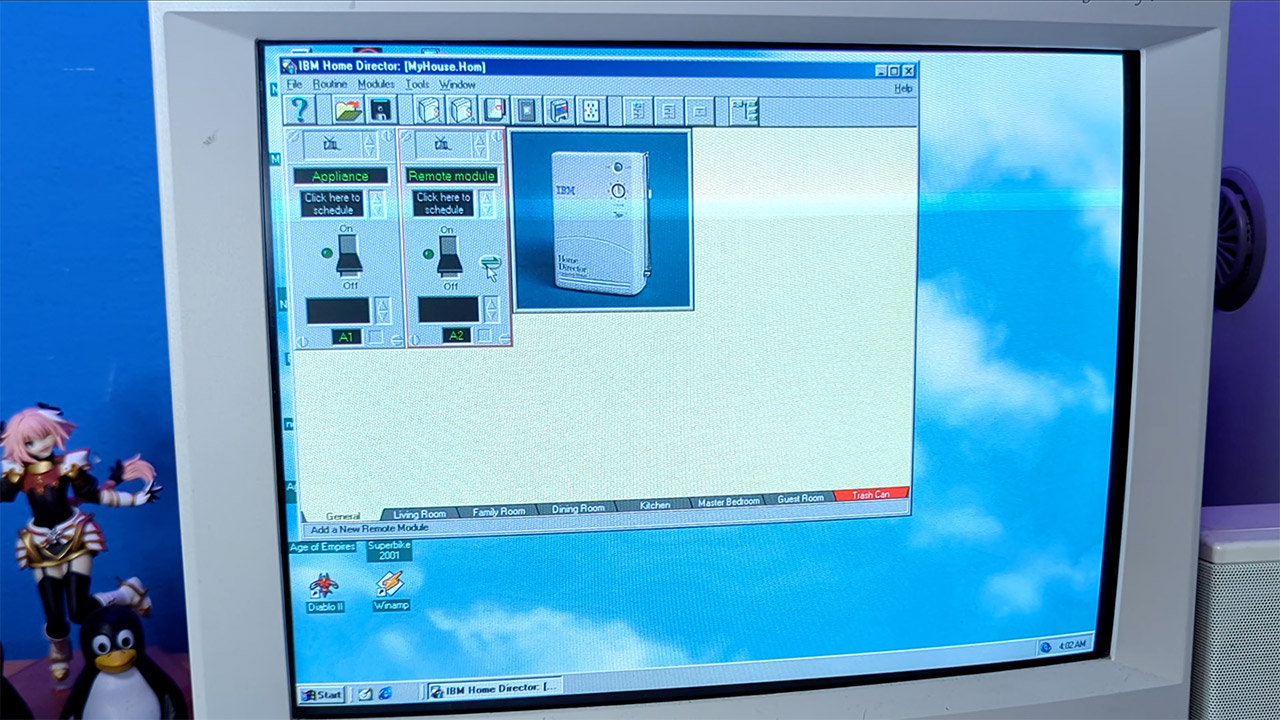
Once everything was up and running, the interface began to display all of your connected devices as virtual switches or panels, and you could simply click on them to turn them on or off right from your desk. Scheduling was as simple as point-and-click, rather than fiddling with a bunch of cryptic buttons on one of those old-fashioned mechanical timers.
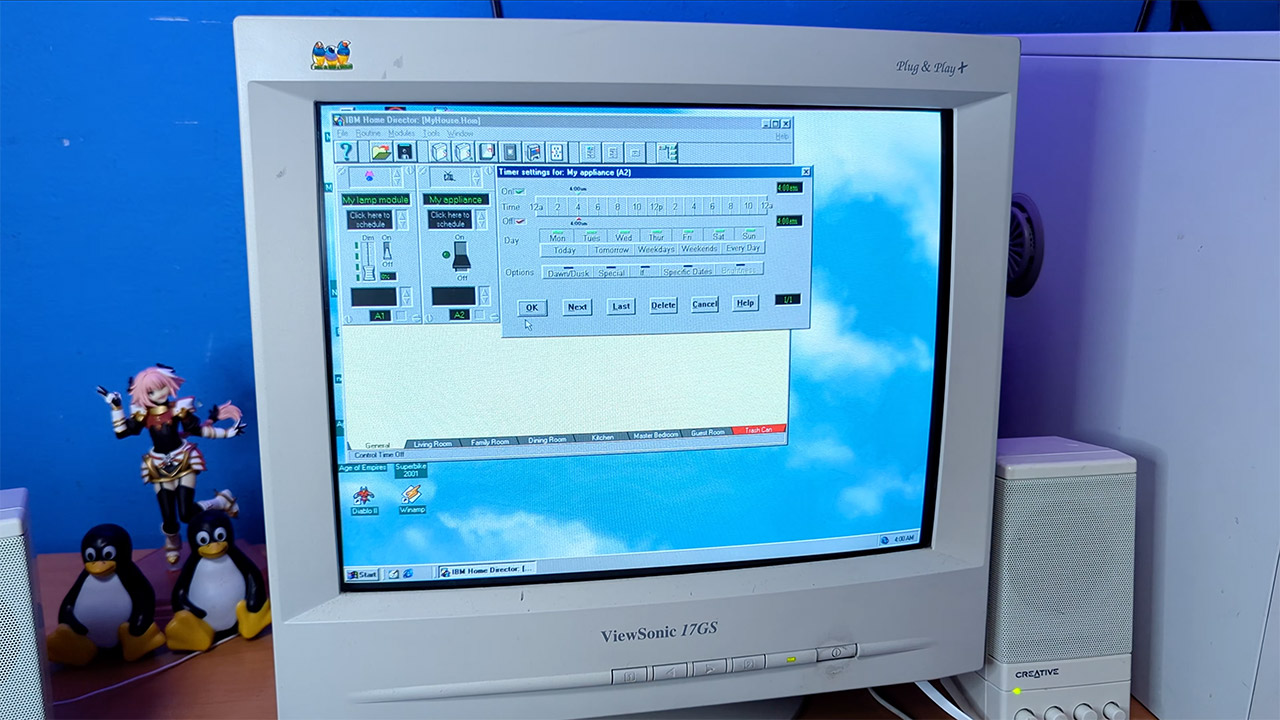
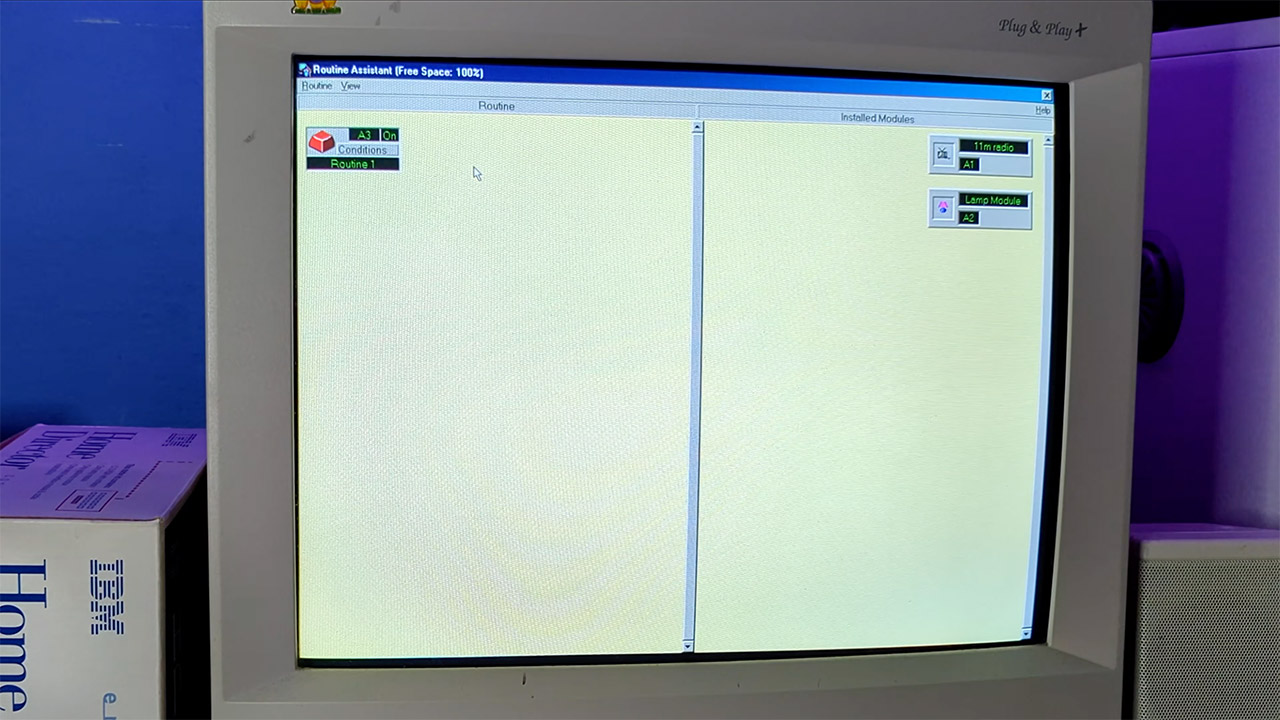
Where it really began to get creative was with all of the different routines you could create. A single command or planned trigger could cause a slew of events to occur. For example, you could program a remote to raise the garage door, switch on the driveway and entry lights, start the audio, and change the thermostat all at once, and you could even set delays between steps to extend complex sequences for up to five hours if necessary. The brilliance of it was that you could manually flip a switch or a lamp on or off without disrupting the programmed patterns.
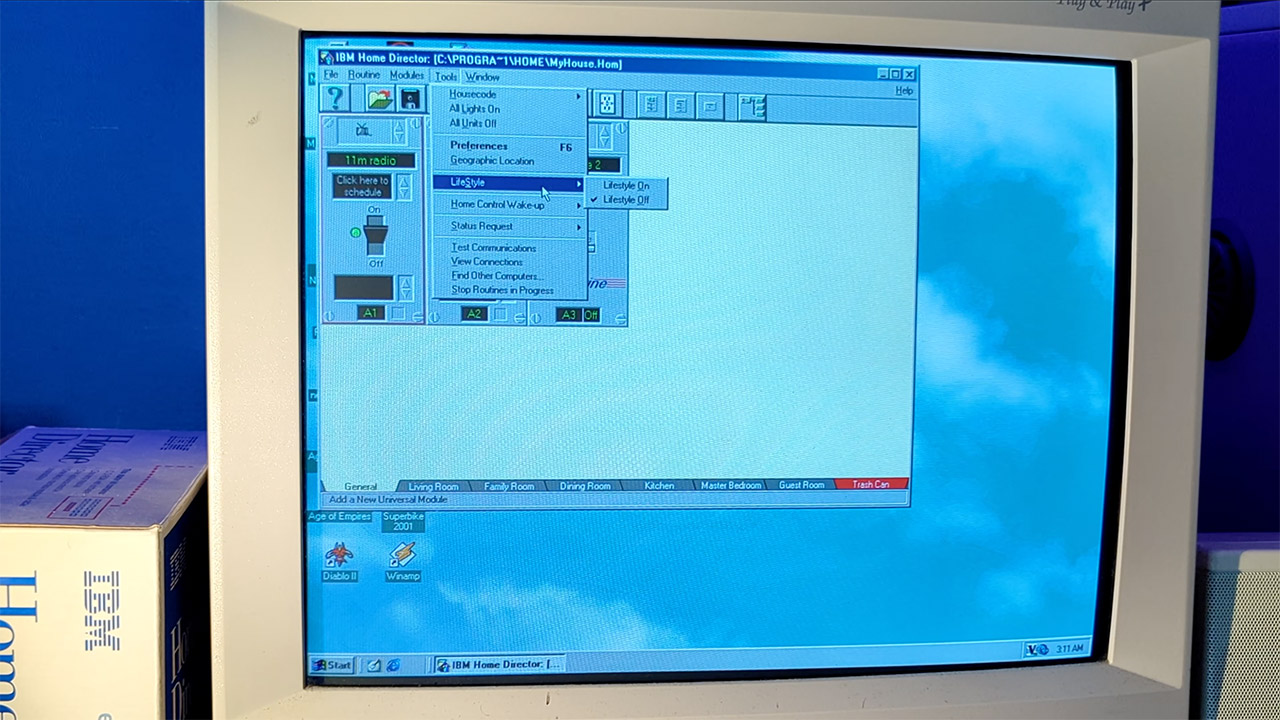
Aside from the fixed schedules, you also have elements that are tailored to real life, such as the lifestyle option, which simply records all of your activity over a 24-hour period. When you went on vacation, you could program it to replay the same sequence of lights turning on and off and appliances turning on and off. It all looked quite convincing that someone was at home, and you didn’t have to remember which times to turn things on and off.
Dawn and dusk settings removed an additional layer of maintenance. Users chose the nearest big city from a list. The software computed dawn and sunset times for that place every day and changed the lights accordingly. There were no manual upgrades required as the seasons changed. A clever element within the serial interface module assisted with power consumption. It allowed scheduled events to continue even after the main computer was turned off for the night or entered a low condition. Full routines benefited from the PC’s availability, although basic automation did not require the machine to operate constantly.
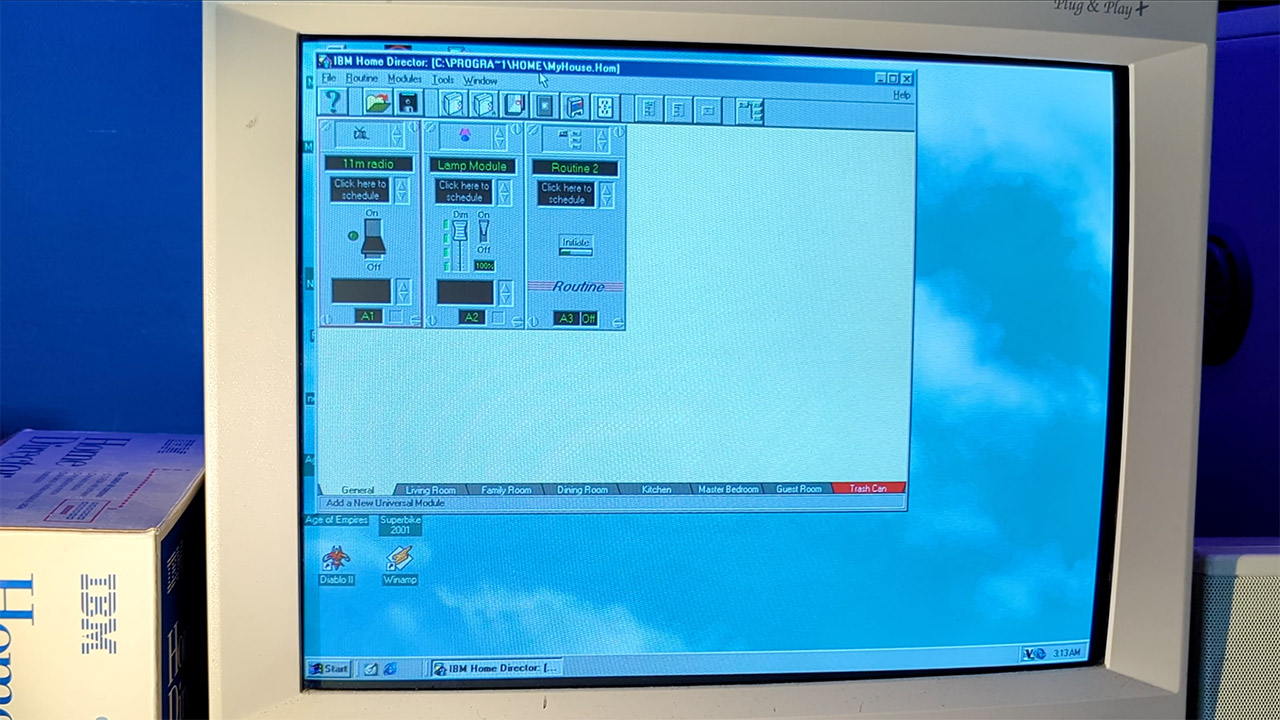
The X10 protocol enabled commands to be transmitted over household wiring. The interface module transmitted brief bursts of a 120 kilohertz signal over standard power. Modules listened for their assigned address and switched power to whatever was hooked into them. There were no extra cables running through the walls or attic. The control information was transmitted via the same lines that delivered electricity.
[Source]
IBM Home Director Let Aptiva Owners Automate Their Homes With Software and Power Lines Back in 1996
#IBM #Home #Director #Aptiva #Owners #Automate #Homes #Software #Power #Lines